

The Webcam Problem
Most people look terrible on video. This is fixable.

It’s 2020. A client is hosting a webinar on Zoom — early enough in the pandemic that Zoom hadn’t yet released the feature that hides non-speaker attendees, so the call is many screens of faces — several hundred participants, cameras mostly on, everyone visible to everyone. I’m scrolling through the screens when I catch unusual movement in one of the boxes. I lock in.
It’s a woman in a shower cap. She’s placed her phone on a ledge in her bathroom. And with the camera on and facing her, she is showering. By some miracle the angle only captures her from the décolletage up, and she’s buried so deep in the participant grid that I’m fairly certain I’m one of the only people who noticed. I scroll past her box several times over the next twenty minutes — curious, horrified, genuinely impressed by the director of photography skills. She showers for the full twenty minutes. I am 99% confident she never realized she’d livestreamed it.
That was six years ago. The features have improved. The awareness, in many cases, has not. The video call is not a lesser version of the room. For a meaningful percentage of your professional relationships, it IS the room — the only one you’ll ever be in together. Which means camera presence is presence, period. In the only format available.
Most people still look like they’re calling from a hostage situation: ceiling light casting shadows from below, camera pointed up at their nostrils, a background that appears to be a pile of laundry and the corner of a door that doesn’t quite close. The audio suggests they’re in a bathroom. They might be.
Video conference culture was supposed to be temporary. It wasn’t. It’s permanent, which means the people who figured out how to look good on camera five years ago have been quietly accruing a presence advantage over everyone who decided this was beneath their attention.
Camera readiness is a skill. It’s also now a professional requirement. And most people still treat it like an afterthought, which is a choice with visible consequences.
Presence is preparation made visible, and the camera, unlike a live room, gives you almost no ability to compensate in the moment. What you set up before the call is what the call gets.
The camera doesn’t lie. But it does distort, and knowing the difference is half the battle.
Most people look terrible on video not because they’re unphotogenic but because they haven’t thought about it. The camera has specific requirements: light, angle, background, eye contact. And when you ignore them, it produces an unflattering version of you that has nothing to do with how you actually look in person. Fix the variables and the camera produces something close to reality. Sometimes better.
Also worth naming: looking at your own face on screen for eight hours a day is a new kind of psychological experience that nobody prepared us for and nobody’s entirely fine with. That’s not a you problem. That’s a medium problem. The goal isn’t to love looking at yourself on camera. It’s to look credible, present, and not like a raccoon that was dragged out from under the bleachers after a Friday night football game.
Light
Lighting’s the single biggest variable and the easiest to fix. It’s also the one most people ignore entirely, which is why so many video calls look like crime scene documentation.
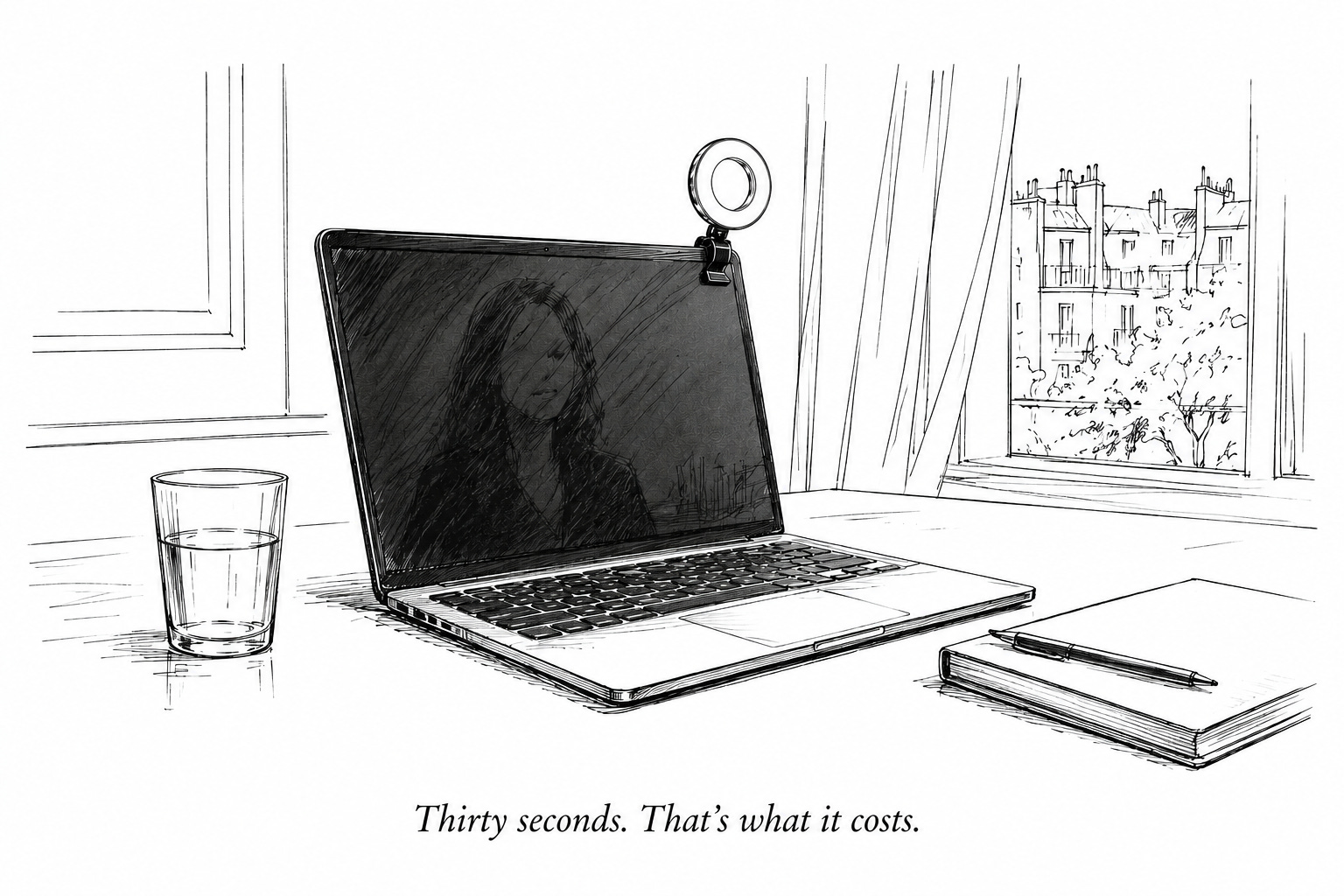
The rule’s simple: light source in front of you, not behind you or above you. A window with natural daylight facing you is ideal. When natural light isn’t available (early calls, late calls, travel, any time zone that isn’t yours), a small clip-on ring light clipped to the top of your monitor does the job cleanly. They’re available online for roughly the price of two oat milk flat whites in New York City, which is to say there’s no budget excuse for looking like you’re being interrogated. Plug it into a power source so it doesn’t gradually dim over the course of an hour-long call. A slowly dimming light is not something you’ll notice in the moment. Everyone else will. If you’re already past the ring light, the next lever is a proper key light positioned at 45 degrees. But the ring light gets 80% of the way there for 5% of the effort, which is usually the right trade.
Overhead lighting (the ceiling fixture that’s been there since you moved in) isn’t doing you any favors. It creates shadows where you don’t want them and flattens everything it touches. Turn it off if you have a better option. You almost always do.
Framing
The camera should be at eye level. Not above eye level: that creates a dynamic where everyone on the call is subtly looking down at you, which is the opposite of presence. Not below eye level: that’s the nostrils situation, which requires no further elaboration.
For laptop cameras, this means raising the laptop. A proper stand works, but test it first, because some stands wobble when you type or touch the desk, and a wobbling frame during a recorded call is the kind of thing that follows you. At home, a foam yoga block under the laptop is a clean, stable solution that costs nothing and wobbles nothing. Yes, a yoga block. It works.
As for the camera itself: unless high-resolution footage is being recorded, the built-in laptop camera’s genuinely fine. Just make sure the lens isn’t smudged with fingerprints. A camera covered in fingerprints will make the most well-lit, well-framed shot look like it was taken through frosted glass.
Framing should put your face in the upper center of the frame with some space above your head. Not so much space that you look like you’re being interviewed in a police procedural, but enough that you don’t appear to be bursting out of the top of the screen.
Background
Your background is information. People will read it whether you want them to or not, which means you need to decide what information you’re giving them before the call starts.
For small groups and internal calls, a real background with a light blur applied is generally the cleanest option. It reads as human and grounded without offering up every detail of your space for inspection. In an office setting, positioning in front of company branding on the wall is a smart move: it’s professional context that does visual work without any effort.
Virtual backgrounds work cleanly when your real background’s simple and you’re sitting relatively still. They start to degrade when there’s texture or movement behind you, which turns the edges of your silhouette into something between a halo and a dissolve. For travel, they’re useful: they neutralize whatever’s actually behind you and keep the focus on your face.
Last year I got pulled into a client call while on vacation in South America. Rushed setup, best available wifi, and for forty-five minutes my backdrop was the treehouse I was staying in and a wall of lush jungle vegetation. One of the participants mentioned it to me a week later — “well, you’re really living, aren’t you” — and there was a ribbon of resentment in it that had nothing to do with the work we’d discussed. Nobody needs to know your business. Just that you’re focused on the business. Use a background when you’re traveling.
If you’re calling from an office or conference room and don’t control the environment, focus on what you can control: camera height, where you sit relative to the light source, and whether you’re using headphones.
Eye contact
Eye contact on video means looking at the lens, not the screen. Almost nobody does this naturally, because every instinct says to look at the faces you’re talking to, which are on the screen, not at the lens. But looking at the screen while speaking means you appear to be looking slightly downward or to the side of everyone on the other end. Looking at the lens means you appear to be looking directly at them.
The way to handle it: alternate. When you’re speaking, look at the lens: it gives your audience the perception that you’re deeply focused on them, which is exactly the impression you want. When you’re listening, look at the screen: read the room, watch reactions, pick up on what’s happening in the faces around you. This is how you maintain actual situational awareness while still projecting direct connection when it counts.
It doesn’t feel natural at first. It becomes natural. Practice it on low-stakes calls until it stops feeling like an acting exercise.
What to wear
The camera compresses and flattens, which means contrast and color read differently on screen than they do in person. Solid colors over busy patterns — patterns can strobe or vibrate on camera, which is distracting for everyone. Medium to deep tones over pure white — white can blow out under light and create a glow that flattens your features. A neckline that photographs cleanly.
What reads badly: thin stripes, small checks, any pattern with high visual frequency. Shiny fabrics that catch light unpredictably. Tops that disappear into a light background. Anything that requires you to think about it while you’re supposed to be thinking about the call.
The camera only sees from approximately the collarbone up on most calls. This is useful information. It means you can be entirely buttoned-up from the waist up and entirely comfortable from the waist down, a reasonable description of how most people have been operating since 2020. No judgment.
Audio
Audio is presence you can’t see, which makes it the variable most people underestimate. A crisp, clear voice in a quiet room reads as composed and prepared. A voice fighting echo, background noise, or a microphone that’s clearly inside a sock drawer reads as distracted, regardless of what the words are saying.
In a quiet environment, the built-in laptop microphone’s fine. In any other environment (an open office, a hotel lobby, a coffee shop, anywhere with ambient noise), use headphones. The noise cancellation’s a win for everyone on the call, not just for you. External microphones are excellent if you’re podcasting. For a client call, they’re one more thing on your desk that doesn’t need to be there.
When you’re not speaking, you’re on mute. This isn’t optional. It’s the baseline standard of professional video behavior and it’s been that for five years. The person who isn’t muted but is clearly at the deli ordering a bacon egg and cheese is offensive on a level that transcends the audio: it signals that your time isn’t a priority to them. Mute is respect made audible.
The audio crimes list, for reference: not muting in noisy environments, speakerphone in a tiled room, keyboard percussion during someone else’s presentation, eating, and the particular chaos of a dog that has decided this is the moment. You know who you are.
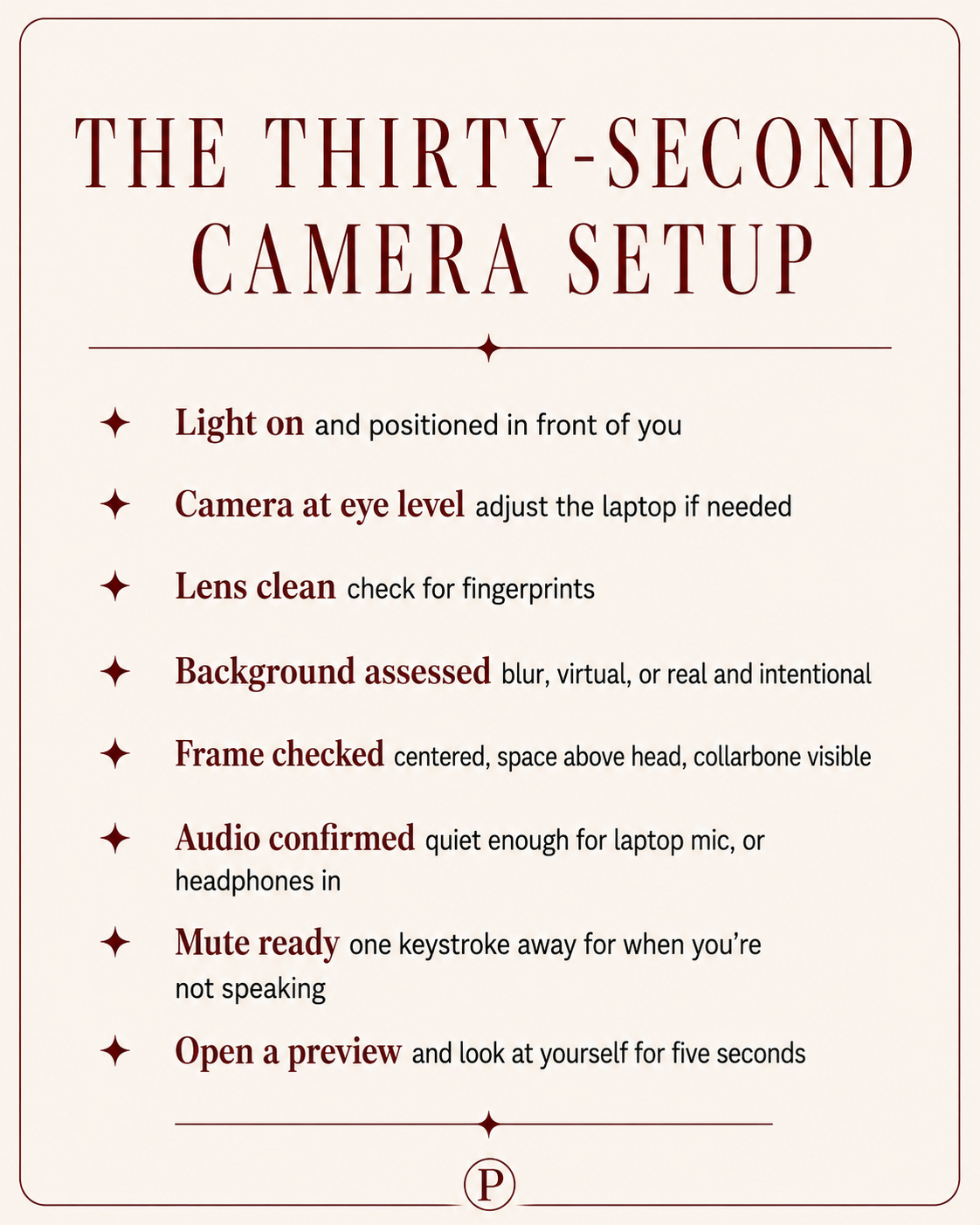
The thirty-second setup
Before every call that matters, run this. It takes thirty seconds and it changes what the other person sees when you appear on their screen.
What you’re looking for when you check yourself
You don’t need to do this obsessively. An occasional check — once a month, after a call where something felt off — is enough. When you do, here’s what to look for:
Are you centered? Not drifting to one side of the frame, not cut off at the top.
Is the light doing its job? Your face should be evenly lit, no shadows under the eyes or across one side.
Where are your eyes going? If you’re consistently looking down or to the side, you’re watching the screen instead of the lens when you speak.
What’s your posture doing? Slumping reads on camera as disengaged. Sit as if someone you respect is watching — because they are.
What’s in the background? Anything you wouldn’t want discussed in a meeting is information you’ve volunteered.
The video call isn’t going away. It didn’t after the pandemic and it won’t after whatever comes next. The people who treat it as a presence opportunity rather than an obligation look markedly different from the people who don’t — and the difference is visible from the first second of the call, before anyone’s said a word.
Thirty seconds. That’s what it costs to not look like you’re calling from a hostage situation.
— Mel
The camera is always on. Behave accordingly from the moment you join.